
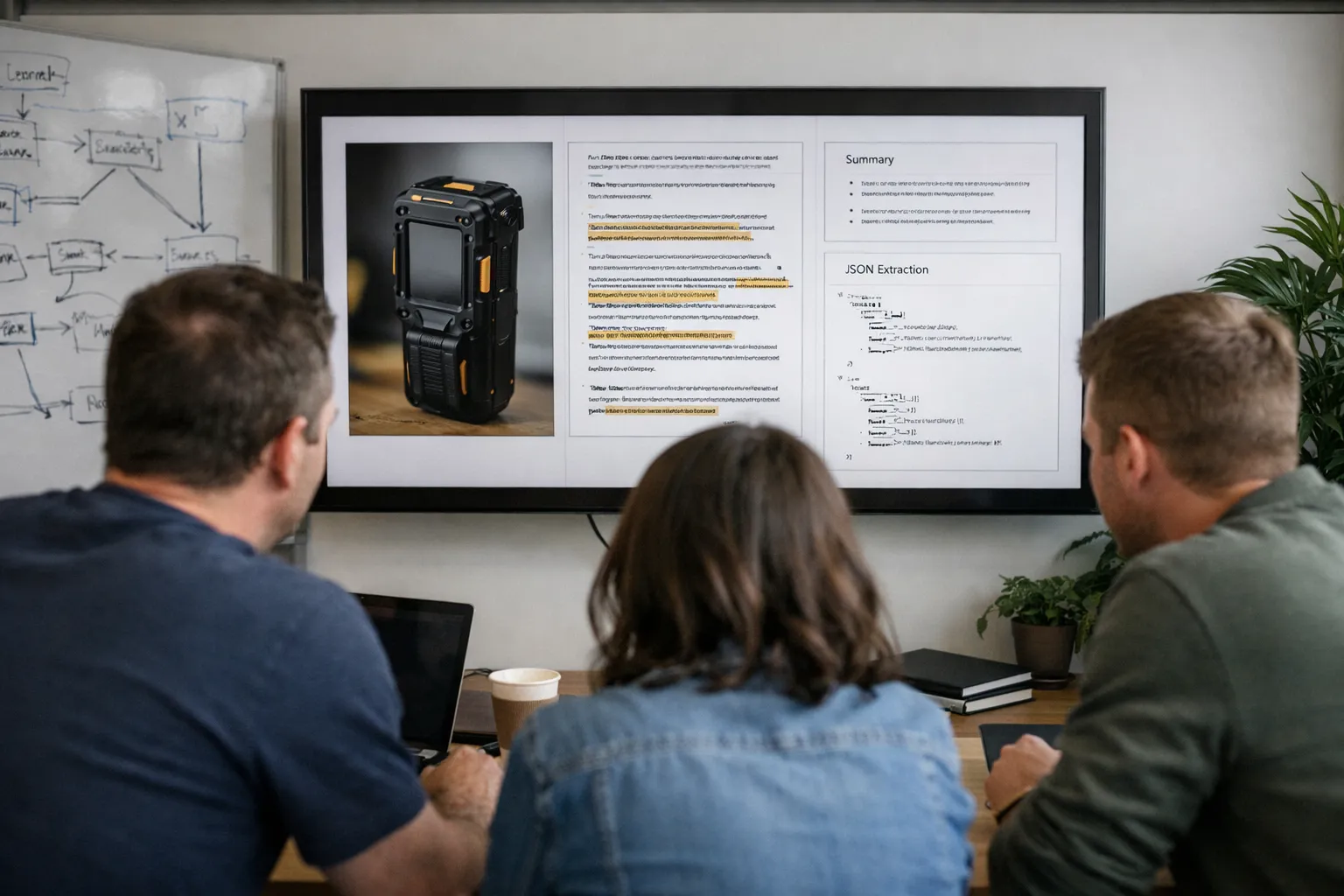
Multimodal large language models—systems that combine text, images, audio and structured data—are no longer a novelty. As of August 2026 they’re embedded across contact centers, claims intake systems and revenue operations, delivering measurable reductions in manual work when engineered correctly. This refreshed guide walks product managers, ML engineers and ops leaders through a repeatable process to design, validate and operate multimodal LLM workflows for sales and operations, with updated patterns, tooling guidance and governance considerations you can apply right now.
Who this is for: teams automating tasks that combine documents, photos, voice recordings and CRM data to speed decisions and reduce manual review. If you care about accuracy, privacy, latency or cost, this guide is for you.
Prerequisites & context
Before you begin, take stock of business constraints and technical resources. At minimum you should know:
- Regulatory posture: EU AI Act provisions and country-level interpretations are in active enforcement across 2026; check whether your workflows are classified as “high-risk” for your sector. Also confirm SOC 2, HIPAA or other contractual obligations that affect data sharing.
- Operational SLA: is the workflow interactive (sub-second triage in a contact center) or asynchronous (overnight contract ingestion)?
- Infrastructure footprint: do you have GPUs and private VPCs for on-prem inference, or will you rely on managed providers and secure enclaves?
- Primary KPIs: concrete metrics such as structured-field accuracy, time-to-first-action, percent auto-approved, reviewer throughput and cost per processed item.
Think of this phase like tasting a sauce before a dinner service: the ingredients and constraints determine what techniques you can use later.
1. Pick a narrow, high-impact use case
- Select one workflow where multimodality materially improves outcomes over text-only automation. Fresh high-impact examples in 2026:
- Contract clause extraction & risk flags: scanned agreements + emailed PDFs + amendment photos → extract renewal dates, non-standard termination language and clauses that require legal review. Many teams now combine OCR + model provenance tagging to create auditable extraction trails.
- Field claims triage with short video: smartphone videos of product failures + technician notes → classify fault class, propose replacement parts and estimate repair time. Visual frame selection and temporal embedding are common prefilters.
- Sales demo capture & lead scoring: short screen-recordings, call audio and form fields → generate an intent score and prioritized follow-up actions for AEs. Teams increasingly add sentiment and competitor-mention detection to boost precision.
- Omnichannel case summarization: chat transcripts + call recordings + screenshots → deliver a one-paragraph summary and recommended next steps directly into CRM.
- Define success metrics now. Examples that drive engineering choices: 95% exact-match on renewal dates, 30% reduction in manual triage hours, or a measurable lift in lead-to-opportunity conversion. These thresholds shape model selection, QA effort and human-in-loop rules.
2. Map modalities, delivery paths and quality gaps
Create an inventory that records:
- Modality: text, scanned PDF, smartphone photo, short video, voicemail audio, structured CRM fields.
- Format and variance: native vs scanned PDF, image DPI ranges, video codecs and typical durations, audio sample rates.
- Delivery method: mobile uploads, email attachments, field apps, agents’ desktops or integrations (webhooks, middleware).
- Observed quality issues: low-light images, motion blur in videos, multi-speaker calls, inconsistent CRM field names.
Concrete tip: build a stratified sample of 300–1,000 items across your templates and edge cases. In my work testing claims pipelines, the 10% of unusual inputs caused the majority of false positives—finding them early saves huge reviewer time.
3. Updated modeling approaches — patterns that matter in Aug 2026
Deployment patterns matured in 2026. Three practical choices now dominate, plus a few hybrid forms worth knowing:
- Managed multimodal APIs — best for quick iteration and prototypes. Vendors now offer streaming image+text inference and lower latency SLAs; many provide explicit model cards and SOC-level attestations. Use strict minimization and provenance logging when you call external APIs.
- Hybrid: private retrieval + managed inference — store sensitive embeddings/metadata in private vector stores (self-hosted or VPC) and call a managed model with pointers/references. This is the default compromise for enterprises balancing privacy and model quality.
- On-prem / private multimodal stacks — open-source and commercial runtimes (optimized ORT/FlashAttention builds, kernel-level quantization) now let enterprises run vision+audio LLMs in dedicated clouds or on-prem clusters at acceptable cost for many use cases. Choose this when regulation or latency makes external APIs infeasible.
New hybrid forms in 2026:
- Edge-first inference: lightweight vision or STT on-device for immediate triage, with heavier multimodal reasoning in private cloud.
- Composable model stacks: orchestrating specialized small models (OCR, HTR, STT, vision classifiers) upstream and a multimodal LLM downstream for reasoning—this reduces expensive multimodal calls.
Decision checklist:
- If raw contracts or customer audio must never leave controlled infrastructure, default to hybrid or on-prem.
- For sub-second, high-volume inference, co-locate inference near users or use distilled multi-tier models.
- Start with managed APIs for a POC, but design adapters and prompt templates so you can swap inference backends if compliance or cost requires migration later.
4. Data pipeline: preprocessing, fusion and deterministic checks
Preprocessing — make inputs predictable
- Images & video: auto-rotate, dewarp scanned pages, run contrast enhancement, and use motion-deblur for short clips. Use object detection to crop to relevant regions (invoice table, signature block, defect area).
- Audio: run STT with noise suppression and speaker diarization; enforce timestamps. Track WER during validation and keep audio sample rate normalization consistent.
- Handwriting: use HTR engines tuned to your field samples; collect corrected examples for adapter training.
- Text & structured fields: normalize encodings and canonicalize dates, currencies and phone formats before fusion.
Don’t skip denoising. I once spent an afternoon debugging a contract pipeline where a single low-contrast scan caused a cascade of mis-parses—simple adaptive thresholding fixed it and saved hours of reviewer work.
Fusion strategies — early vs late
- Early fusion: convert OCR and STT outputs into a single text document and send it to a text LLM. Easier to monitor and often sufficient for field extraction.
- Late fusion: use a true multimodal model that accepts image/video/audio embeddings alongside text. Choose this when you need pixel-level reasoning (e.g., small PCB defect detection, handwriting nuance) or when spatial relationships matter.
Practical path: begin with early fusion for extractions; move to late fusion for tasks that early fusion fails on in your held-out validation.
5. Prompting, schemas and lightweight adapters
- Define strict JSON schemas for outputs and use programmatic validators (e.g., JSON Schema) in the pipeline. Example: {"renewal_date":"YYYY-MM-DD","auto_renewal":true,"termination_notice_days":int}.
- Prompt scaffolding: include account context, field validation rules, and positive/negative examples. For early fusion, paste OCR with inline source spans to preserve traceability.
- Adapters & lightweight fine-tuning: in 2026, many vendors and OSS toolchains support adapter/LoRA-style updates for multimodal backbones. Use adapters for stable extraction tasks; rely on prompt engineering for volatile policies or seasonal templates.
Always embed a verification step in the prompt: ask the model for source spans or crop coordinates plus a confidence score. Route outputs below your calibrated threshold to humans.
6. Infrastructure: serving patterns, latency and cost control
Operational patterns that work in 2026:
- Batch processing for non-real-time tasks. Use queues (Kafka, SQS) and workers with backoff.
- Multi-tier inference: small models for triage; larger multimodal models for escalations. This reduces expensive multimodal invocations by design.
- Edge/near-edge preprocessing: on-device STT or vision crop helps with privacy and reduces cloud round-trips.
- Quantization and model sharding for on-prem inference; monitor GPU utilization and memory fragmentation closely.
Track cost drivers: token counts after fusion, STT minutes, image preprocessing GPU time, and managed API call rates. Put rate limits and budget alerts in place—misconfigured integrations can blow budgets quickly.
7. Privacy, compliance and governance
Governance is now a delivery requirement, not an afterthought:
- Data minimization: strip or hash unneeded PII before calling external models. Store only the minimal metadata needed for audit.
- Access controls & logs: record who accessed raw inputs and outputs; log model version, prompt template id and timestamp. These logs are essential for dispute resolution and audits.
- Retention & deletion: build deletion APIs for raw media and embeddings; implement retention policies that align with contracts and regulations.
- Model risk assessment: map failure modes and business impact (e.g., mis-extracted termination date affecting billing). Maintain a model risk register and update it on model or data changes.
Design for portability from day one—regulatory pressure has made hybrid architectures the default in many regulated industries.
8. Validation, evaluation and red-teaming
Build an evaluation suite that mirrors production and includes adversarial edge cases:
- Gold-standard dataset: manually labeled multimodal examples across templates, cultures and languages. Include 5–15% adversarial or low-quality inputs.
- Metrics: exact-match for structured fields, F1 for classification, OCR CER and STT WER upstream. Track human override rates downstream and business KPIs such as SLA adherence.
- Stress tests: synthetic noise (motion blur, low bitrate audio), multilingual audio, mixed handwriting, and visual occlusions.
- Red-team exercises: periodic adversarial tests and privacy probes to surface hallucination and leakage risks.
Practical guidance: maintain a held-out test set of several hundred labeled examples per major template, re-evaluate quarterly, and trigger adapter retraining when override rates cross a defined threshold.
9. Observability and ops
Instrument input, model and output layers:
- Input telemetry: image resolutions, OCR error rates, audio durations, languages and upload sources.
- Model telemetry: latency percentiles, rate-limit events, token/image counts and model version usage.
- Output quality: extraction accuracy over time, human override rates and downstream KPIs like time-to-close.
- Alerting: notify on spikes in low-confidence outputs, OCR failures or latency regressions.
Keep raw inputs and outputs for a limited retention window for repro, but enforce anonymization where required.
10. Human-in-the-loop (HITL), escalation and UX
- Define triage rules: auto-accept high-confidence outputs; route mid/low-confidence to human reviewers. Typical starting thresholds are 0.7–0.8 but calibrate to business risk.
- Reviewer UI: present original media with overlayed OCR/STT, extracted fields, confidence and source spans. Allow one-click accept/adjust so corrections feed training data.
- Feedback loop: capture corrections, metadata (why corrected), and time spent to prioritize retraining candidates. Automate dataset curation for adapter updates.
UX matters—clear, small actions keep reviewers fast and accurate. I always design a “fix and submit” path that requires the fewest clicks; it pays off in reviewer throughput.
11. Rollout plan and change management
- Pilot (4–8 weeks): run a small team, measure metrics and collect qualitative feedback.
- Shadow mode: widen the data surface so you can observe errors without changing system state. This reveals edge-case behaviors safely.
- Phased enablement: allow auto-actions for low-risk items first; keep human approval for critical outputs.
- Training & docs: create playbooks, quick-reference cards and short walkthrough videos so users know when to trust AI outputs and how to escalate.
12. Pre-scale checklist
- Success metrics validated on a held-out dataset.
- Preprocessing covers common data issues with documented error bounds.
- Privacy controls, access logs and deletion workflows implemented and audited.
- Monitoring and alerting integrated and baselined.
- Reviewer UI deployed and capturing corrections as training data.
- Cost controls: multi-tier inference, rate limits and budget alerts in place.
Common mistakes to avoid
- Sending raw PII to external APIs without minimization—even for POCs. Mask or pseudonymize data first.
- Assuming upstream OCR/STT are “good enough” — measure CER/WER and assess end-to-end impact on downstream extractions.
- Overreliance on raw confidence scores — calibrate scores to actual business outcomes before auto-approval.
- Neglecting portability — design prompts and adapters so you can migrate inference back in-house if needed.
Pro tips
- Use a small distilled model for pre-filtering to reduce expensive multimodal calls; this often cuts cost by 40–70% depending on traffic patterns.
- Persist source spans or crop coordinates. They speed reviewer verification and produce cleaner retraining labels.
- Automate noise augmentation during retraining to reduce brittleness to real-world photos and voicemails.
- Instrument human corrections with “why” metadata to prioritize the most impactful retraining examples.
FAQ
Do I need a true multimodal model, or will converting inputs to text suffice?
Start with early fusion—OCR and STT into text—for extraction tasks. It's easier to monitor and often hits business targets. Move to a multimodal model when early fusion fails on pixel-level reasoning (e.g., tiny visual defects, complex handwriting) or when spatial/audio context changes outputs. Validate on a held-out dataset to decide.
How should I set confidence thresholds for auto-approval?
Calibrate thresholds on labeled historical data. A typical pattern is: auto-approve ≥0.8, light human review 0.6–0.8, escalate 0.6. But tune these for business risk—monitor human override rates and adjust. Use reliability diagrams to check calibration.
What’s the best way to handle handwriting and signatures?
Handwriting remains a weak spot. Use specialized HTR models and route critical fields (signatures, handwritten amendment terms) to human review initially. Capture corrected examples to train adapters, and expect improvement after a few hundred labeled corrections.
How can I keep costs manageable as usage scales?
Adopt multi-tier inference, pre-filtering and rate limits. Track token/image counts, STT minutes and preprocessing GPU time. Implement per-account throttles and cost alerts; shift predictable workloads to batch windows when possible.
How often should I retrain or update adapters?
Base cadence on drift: retrain when human corrections exceed a defined threshold (for example, a sustained 20% increase in override rate) or quarterly for stable tasks. Use a continuous validation stream to surface gradual drift sooner.
Conclusion
Multimodal LLMs in 2026–2026 let sales and ops teams automate richer workflows, but the payoff depends on engineering disciplined pipelines: careful preprocessing, thoughtful fusion choices, privacy-aware architecture and rigorous validation. Start narrow, iterate with human reviewers in the loop, and design for portability and observability. Do the sampling and validation up front—quality inputs make the whole pipeline sing, and you'll hit that satisfying "this is exactly what I needed" moment sooner.